Contents
- Index
2- Provider File
Option [2] in the Maintenance Menu
1- UPDATE Physician/Provider
2- ADD NEW Physician/Providers
3- Search by Last Name or Physician/Providers
4- ADD NEW Referring/Supervising Physicians
5- Browse Referring Providers
6- Browse Billing/Rendering
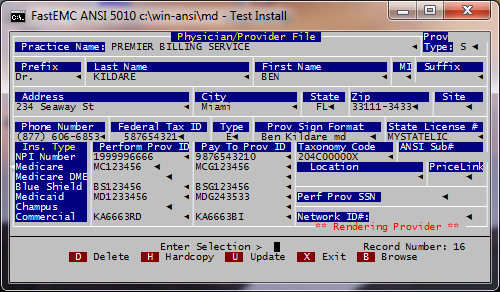
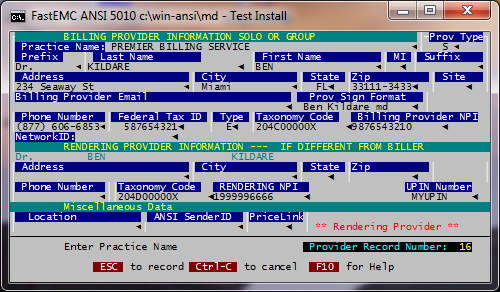
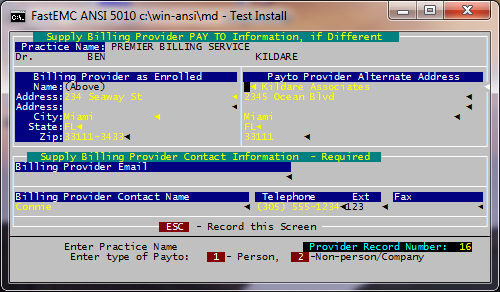
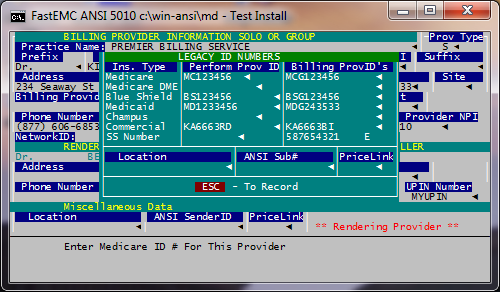
The system maintains a file of providers of service in a group practice or billing service. The user may add, update, or delete a provider from this file. This is option [2] on the Maintenance Menu
Practice Name
Enter the Practice/Facility name. If the physician is not part of a group leave blank.
Prefix
Enter the prefix of the physician. Example: Dr., Ms., etc. (May leave blank)
Last Name
Enter the last name of the physician. Leave blank if billing for an organization rather than a physician.
First Name
Enter the first name of the physician. Leave blank if billing for an organization rather than a physician.
MI
Enter the middle initial of the physician. Leave blank if billing for an organization rather than a physician.
Suffix
Enter the suffix of the physician. Example: M.D., D.O., etc. (May leave blank)
Address, City, State, Zip
Enter location of the physician. If different from the default, type the correct information.
Site
Enter a provider assigned code to identify a provider's specific billing location.
Provider Signature Format- defaulted
NOTE: For Download customers this field should match exactly to the name mapped from field 31 on the HCFA form.
Specialty
Enter the specialty code of the physician. [F6] for valid codes. Type Enter the Tax ID Type.
E = Employer ID Number
S = Social Security Number
X = Corporate Location
Enter the location of the physician/provider. This is used to distinguish between facilities when multiple locations or sites are used. This field is not required.
Phone Number
Enter Physicians telephone number. Type in the area code and phone number together without punctuation.
Federal Tax ID
Enter the Physician's Federal Tax Identification Number.
ID Number
Enter the performing provider ID number for claims submitted for this provider.
Group Number
Enter the Group number the Physician is under or same number if not under a Group.
NPI Number
Type in the provider's National Provider Identifier (NPI) number. In a group practice, the individual provider's number (Type 1) would go into the Performing Provider ID field, and the practice's number (Type 2) would go into the Pay-To Provider ID field. If there is only one NPI number, enter it in both fields.
Taxonomy Code
Press [F6] for appropriate code
Price Link (not shown)
If you are billing for multiple providers of service and they have different pricing for like procedure codes, you may put in a code or name here as well as in the provider file link field. This will ensure that the pricing for this provider will default when adding claims.